docx4j

How to try Plutext for yourself

March 3rd, 2009 by Jason

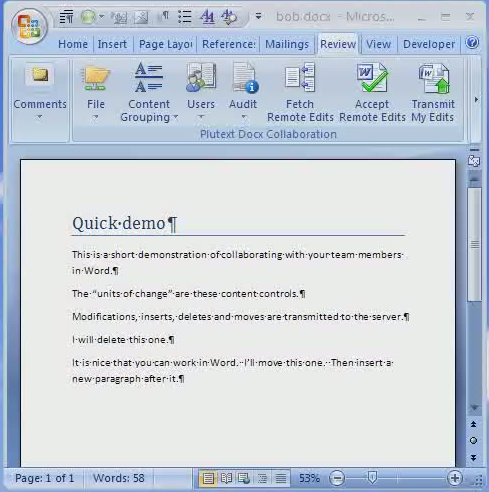
Here is a screencast which walks you through sharing your own document, and trying our collaboration features:

Of course, you can just play with one of the pre-existing shared documents.

The video width is 1280 pixels, so if you are browsing in a narrow window, you’ll need to expand your browser window to see it properly.  (Everybody has screens that wide these days don’t they, unless they are mobile?)

For completeness:

Microsoft’s collaboration stuff any day now?

October 26th, 2008 by Jason

It’s Monday morning on October 27th as I write here in Australia.

Steve Balmer gave hints in 2 separate reports at the beginning of the month that they’ll be announcing their in-Office collaboration stuff this week.

The first report was in www.cio.co.uk

Ballmer:So we are embracing Software + Services, Cloud Computing as hard as anybody. By the time we finish our Professional Developers Conference this month, I think you’ll have to say that there is nobody out there with as wide a range of Cloud Computing services as Microsoft, including, dare I say it, Google …

CIO: Steve, I guess the $64,000 question from a lot of people’s point of view is, is there going to be an Office for the Web, something that really competes head on with Google Docs, Google Apps?

Ballmer: .. I think what people want is something as rich as Microsoft Office, something that you can ‘click and run’, if you are not at your own desk. Something that is compatible, document-wise with Microsoft Office and something that offers the kind of joint editing capabilities that is nice in Google Docs and Spreadsheets. Will Microsoft Office offer that? Yes! Standby for details in the next month.

CIO: So, in the backend of Microsoft R&D, are there people beavering away at versions of Word, PowerPoint, Excel, etc, that are purely web based? Or, is it always going to be this hybrid?

Ballmer: What does it mean to be purely Web based? Do we want them to be as only as powerful as ‘runs in a browser’? No. We want software that is more powerful than runs in a browser. Does that mean we will not have some neat stuff that does run in the browser? No.

We think you’ll actually want the full power of Word, Excel and PowerPoint – and you’ll want to be able to get that simply. But, if you just happen to be in an Internet cafe kiosk and you want to do some light editing, perhaps we need to have a way to support you in that as well, inside the browser. ..

In another, in response to a question about Office Live, he said:

“Office Live has a few things left it needs to do. Number one, and probably most important, is to make sure that people using Office have greater ability to collaborate with one another. We have some of that today with [Office Live] Workspaces, as well as that we’ve got SharePoint; we can do more and some of those things will be better than the other alternatives.

Number two, is when we do Office Live, it has to be true to Office; you’ll need to be able to have full Office documents and programs and share them.

Number three, we have to make it so that – most people use Office most of the time from a single machine. But if you’re away from your desk, at a cafe, a kiosk or your school library, and you don’t have Office, you’ll want to be able to do something quickly; we have to make sure you can get it easily, stream it down, put it in a browser, something like that there… details coming in a few weeks.

I’m not going to write here what I think they are likely to announce.  More sensible to wait a little longer.  It will be interesting though to see what is available immediately, and how much is just vaporware.

Plutext walkthrough

October 20th, 2008 by Jason

PlutextWalkthrough (PDF) is a step by step guide to collaborating on a Word document using Plutext.

It contains more or less the same information as my last blog post, but in a format which allows you to avoid the videos.

Collaboration in Word – ready for alpha testing

October 1st, 2008 by Jason

Plutext enables everyone on your team to make changes in Word, at the same time (ie it lets you collaborate just as you can in Google Docs, but in your familiar Word environment, with formatting, change tracking etc).

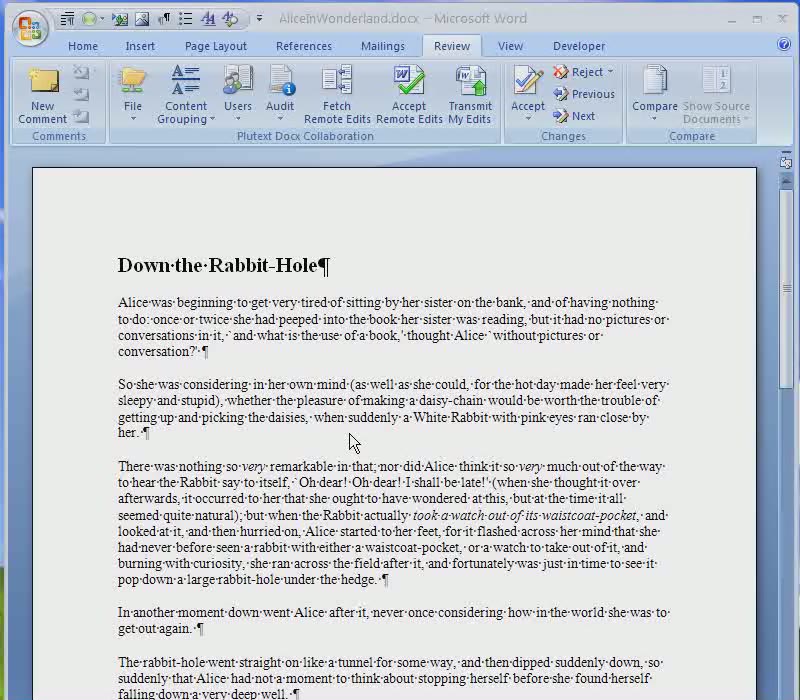
Here is a short screencast of the gist of it:

Screencast
Flash (.flv) screencast; download to play it in VLC or similar.

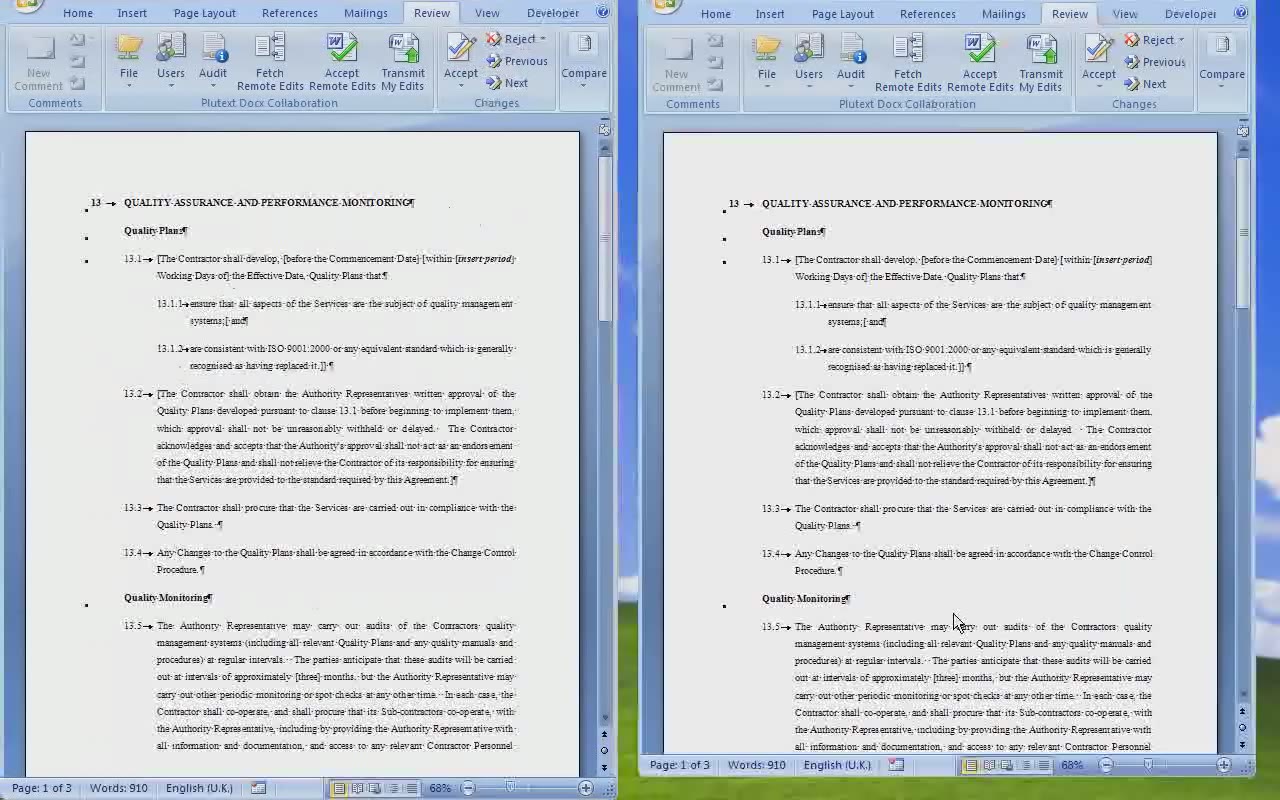
If you are working on legal documents, government reports, or other formal deliverables you’ll probably want to make the process more structured.  Here is an excerpt from an old screencast showing our features for lawyers and others requiring accountability:

Screencast
Flash (.flv) screencast; download to play it in VLC or similar.

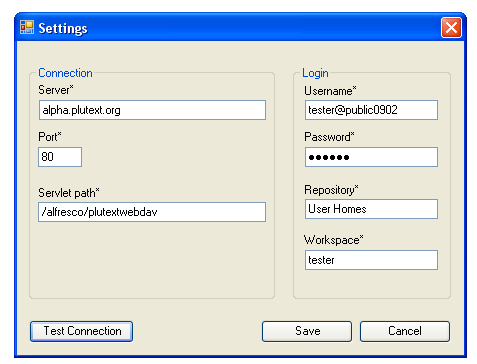
If you want to give it a try, the easiest way to try it out is to download our Word 2007 add-in, then fire up Word and login to the “public0902” group with these “tester” settings (on Word’s review ribbon, click our “File” button, then Settings), using password “tester”:


Click to enlarge

then open an existing document (from the Plutext “File” button on the Review ribbon).

You can get a colleague to work with you on a document. Or you can simulate collaboration simply by opening the document twice on your PC (which is what I’ve done in the screencasts above).

Right now, you need Word 2007.  Next week, we’ll release an updated build of our cross-platform client which you can try.

This video shows you how to add your own document to the public space (or your private space):

Screencast
Flash (.flv) screencast; download to play it in VLC or similar.

But be careful, anyone else can see the documents if you just use the “public” group.

If you’d like a little privacy, you can setup a space of your own on our test server.

We’d love to know what you think, either in the comments, or our forums, or privately (jason@plutext.org).

Please report problems with the Word add-in here, and server problems here.  Thanks.

Naturally, there are a few limitations in this alpha, including:

  • the Audit function doesn’t like bookmarks
  • adding an image won’t work

Finally, if you want to uninstall the Word add-in, you can do this from Window’s add/remove programs in the usual way.

Microsoft Office Online .. soon?

March 3rd, 2008 by Jason

Nick Carr has sparked speculation that Microsoft will soon unveil its strategy for bringing its Office suite online – which to me means a way of working with Office documents on any computer which has an internet connection.  If you are connected, I’d expect you to be able to collaborate with others in real time; if you are not connected, I’d expect the software to work in offline mode.

When I say “any computer”, I don’t mean to restrict that to any particular operating system (and indeed, Silverlight runs on the Mac, and Microsoft has announce it is working with Novell on a linux implementation).  What good is collaboration software if some of the people you need to collaborate with can’t play?I thought I’d make some predictions about the business model.

There seem to be 2 key questions:

  •  does each end user pay, or does a collaboration originator pay for the right to invite a certain number of collaborators?
  • what support for Mac and Linux users, and when?

Whether each individual user is required to pay, or the originator pays, will reveal much about how Microsoft regards its online offering.  The latter model, that the person who originates a collaboration session pays for a certain number of people to be able to collaborate (ie whatever their platform), would show that their focus is firmly on collaboration.  This is the model we would use for any plutext SAAS offering (available to people who don’t want to install plutext server internally, for free or a fee). 

Here are my predictions:

  1. Enterprise version (ie behind the firewall).  There will be a version an enterprise can install on its Sharepoint server, for those businesses which are not comfortable with their documents being hosted externally.  I’m sure Microsoft can work out how to let people give access to people outside the firewall as necessary.  An enterprise licensee will be able to invite people outside the enterprise without charge.
  2. Cloud version. I expect there will be a cloud version for SMBs.  I think you will be able to use this for free, provided you have a license for the traditional Office product.  You will definitely need this (2007 version) to originate collaboration around a document (ie invite other users) – unless you are prepared to pay a full price for the online offering.  Maybe anyone will be able to accept a collaboration invitation (ie whether or not they are licensed to use Office), making the “who pays” question mute.  To create a new document (or print it?), I expect you will need to have a licence for the traditional Office product, or pay for the SAAS offering.
  3. Mac and Linux support.  I think Microsoft will offer Mac support sooner or later, but delay any hint of support for Linux for as long as possible.  This is because Linux is much more of a threat than OSX (two reasons: (1) Linux is free, and (2) it is very easy to install it on your existing Windows PC).  That said, they might have it “only on Windows” to try to keep people there – until some critical tipping point is reached.  I would say that even now, the only thing stopping Microsoft from seeking revenues from Linux users are the inevitable press headlines along the lines of “Microsoft admits defeat” that would come with this.  The cost of this in terms of perception would surely outweigh any incremental revenues in the short term.  Mac users may be able to use it for free – provided they had an Office license they were able to associate with their online user ID.  
  4. docx only. The documents which come out of this online service will be docx documents, not binary or RTF.  This will help to make the new format ubiquitous.

I wonder whether the collaboration protocols will be published under the recent interoperability initiative?  If they are, the way would be open for a rich world, in which docx4all could potentially play…  I’d be pleasantly surprised if they were, and there was nothing stopping someone from making a client or server of their own.  If anyone else could create a server, then why not get rid of it altogether and go peer-to-peer?  Maybe, just maybe, the thinking is that it would take forever for someone other than Microsoft to create a fully featured server, so third party implementations are to be encouraged (as is presently the case for OpenXML), since Microsoft’s offering will always be the RollsRoyce implementation which attracts the most usage, with the other implementations adding value to the ecosystem.

 The announcement, if/when it comes, will be fascinating!  (more…)

Document Collaboration – Magic Quadrant

February 25th, 2008 by Jason

In comment 18 to comment of the day “Google Docs is Chock Full of Fail” by Karim on Read/Write web, Bernard Lunn says:

if you drew a magic quadrant with “control over presentation/formatting” on one axis and “rapid online collaboration” on the other, neither MS Office or GOOG Apps would be in the magic quadrant

That’s precisely the quadrant we’re aiming for with plutext. We still have a way to go 🙂

Anonymous comment 4 to Scoble’s contribution to the debate also articulates our reason for being:

I’ve found Google Docs is great for collaborative editing. Once everyone’s done editing then it’s up to someone to take the Google Docs version and properly format the doc using a desktop word processor.

Based on this observation, Google needs to completely clone a desktop word processor or focus on perfecting collaboration

Why are we doing this, anyway?

December 5th, 2007 by Jason

The plutext solution enables many users to work on the one Word document at the same time.

Why would you want to do that?

The way we put it in the Wiki:

  1. Get documents finished ahead of deadline. Sales proposals, contracts, reports. Our focus is real time simultaneous collaboration – two or more people working on the document at the same time.
  2. Plutext allows you to continue to use Microsoft Word as your editing environment. You know how to use Word (at least until you installed Office 2007 anyway..).
  3. So you can format the document using Microsoft Word. If you did your collaboration in Google Docs, chances are you’ll have to bring it back into Word to make it pretty. Our collision handling is nicer to.
  4. Work offline. It’s Word, after all.
  5. Word’s docx is our native document format. So there is 100% fidelity. No numbering going haywire.
  6. Complete version history / audit trail.
  7. Don’t have Word? Coming soon … Use docx4all, our WYSIWYG docx editor – on a Mac, on Linux etc.
  8. Oh, and its open source. All GPL 3 (Affero GPL 3 in the case of the server side bits). Use our server (developers only for now), or build your own.