 docx4j
C#/.NET: Import XHTML into docx without Word
September 5th, 2014 by JasonHow to convert import HTML into a Word document without using Microsoft Word?
Honouring the CSS, so the Word document looks similar to the input XHTML. Alternatively, converting @class values to Word styles.
Its a common requirement in our increasingly web-centric world.
docx4j-ImportXHTML.NET is open source (LGPL v2.1 or later), identical to the Java version, but made into a DLL using IKVM. Currently we’re at v3.2.0, released last week.
It is easy to test; with very little effort, you can run it from a sample project in Visual Studio. Its very easy, because docx4j-ImportXHTML.NET is in the NuGet.org repository:

To create your sample project:
- make sure you have NuGet Package Manager installed
- for VS 2012 and later, its installed by default
- for VS 2010, NuGet is available through the Visual Studio Extension Manager; see the above link.
- create a new project in Visual Studio (File > New > Project). A Console Application is fine. I chose that from the .NET 3.5 list.
- from the Tools menu, choose NuGet Package Manager > Package Manager Console
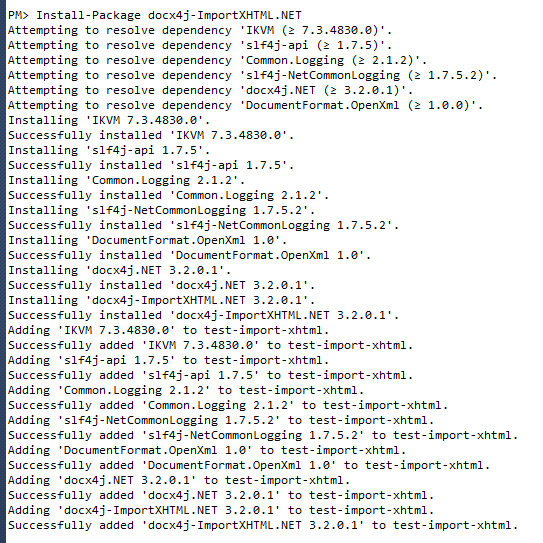
- type Install-Package docx4j-ImportXHTML.NET
You should see something like:
And then, your project/solution will be populated to look like:
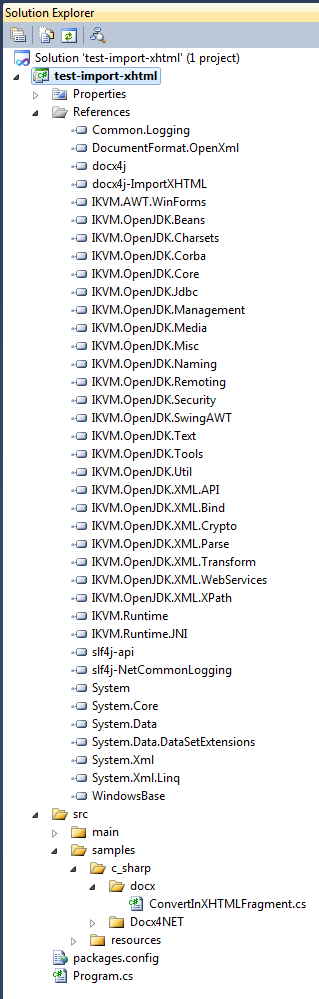
We’re nearly there! Notice the docx4j-ImportXHTML DLL, and the file src/samples/c_sharp/docx/ConvertInXHTMLFragment.cs. Most of the rest of the stuff comes from the docx4j dependency, which NuGet fetches.
If you have a look at ConvertInXHTMLFragment.cs, you’ll see it contains
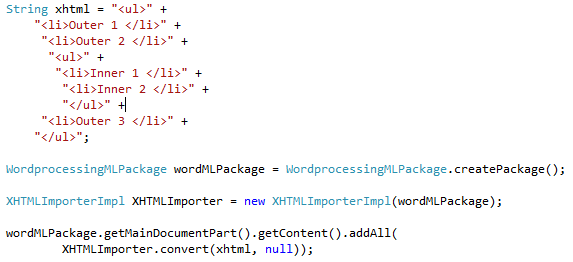
Let’s run it, to convert that xhtml to docx content.
Click on your project in Solution Explorer, then right click (or hit Alt+Enter) to get the properties pane:
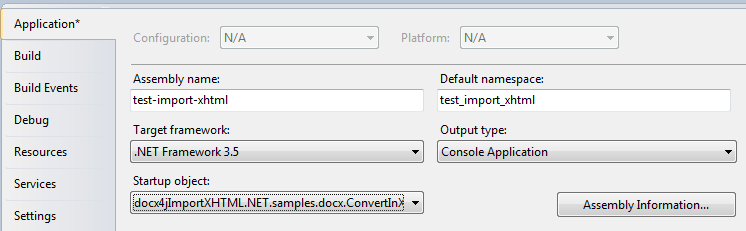
Then set the “startup object” as shown in the above image.
Now you can hit Ctrl+F5 (“Start without Debugging”) – you don’t want to debug, since that’s really slow.
You should see some logging in the console window, culminating in something like:
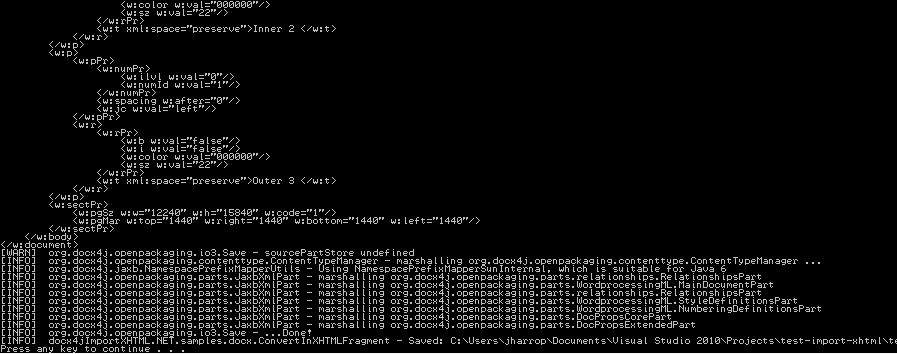
Obviously, you can modify src/samples/c_sharp/Docx4NET/DocxToPDF.cs to read your own XHTML.
A few comments.
Well formed XML! Only well formed XML works, ie XHTML, not tag-soup HTML. If you have tag soup, its your responsibility to convert that to XHTML with some tidy tool. You’ll get a SAXParseException if your input is not well formed.
Word styles: if the target docx contains a style matching @class, it can be used. This’ll be the subject of a separate blog post.
Other examples: the Java repository on GitHub contains examples for reading from a file etc. Converting these to C# is left as an exercise for the reader. If you do that, we’d be delighted to receive a pull request on https://github.com/plutext/docx4j-ImportXHTML.NET
Logging, Commons Logging. Logging is via Commons Logging. In the demo, it is configured programmatically (ie in DocxToPDF.cs). Alternatively, you could do it in app.config.
OpenXML SDK interop: src/main/c_sharp/Plutext/Docx4NET contains code for converting between a docx4j representation of a docx package, and the Open XML SDK’s representation.
Improving XHTML import support. To implement a new feature in the XHTML import, typically you’d make the improvement to docx4j-ImportXHTML first (ie the Java version), then create a new DLL using the ant build target dist.NET. docx4j-ImportXHTML is on GitHub, and is most easily setup using Maven (see earlier blog post).
Alternatives. There are a couple of projects on CodePlex you could try:
- html2openxml
- htmltodocx (PHP)
I’d be interested in feedback on how they compare.
Help/support/discussion. You can post in the docx4j XHTML import forum, or on StackOverflow (be sure to use tag docx4j, plus some/all of c#, docx, xhtml etc as you think appropriate). Please don’t cross post at both!
